1. go to office.com in a browser, or sign into adding email
2. enter your email/username and password
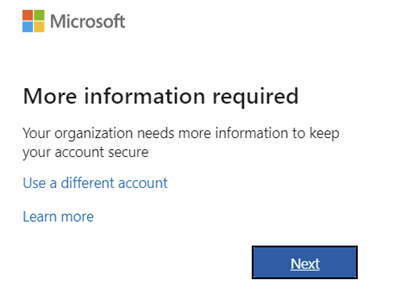
It will display a page that more info is needed, click next:
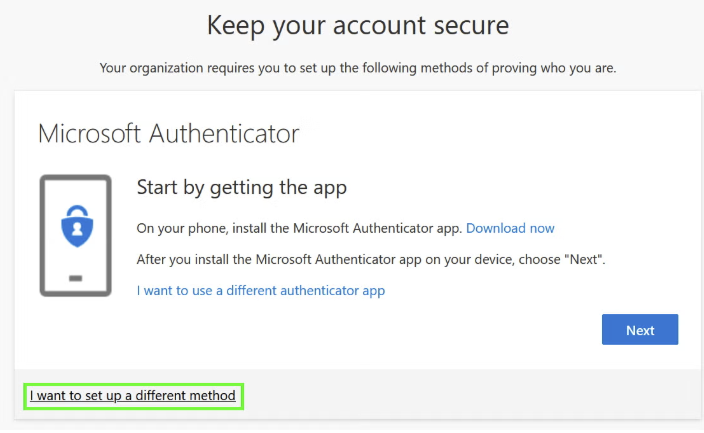
3. Keep your account secure page:
-DO NOT CLICK NEXT. We do not want you to use the authenticator app. So click on the bottom I want to set up a different method
4. Choose text me a code and enter your cell phone number. Hit next.
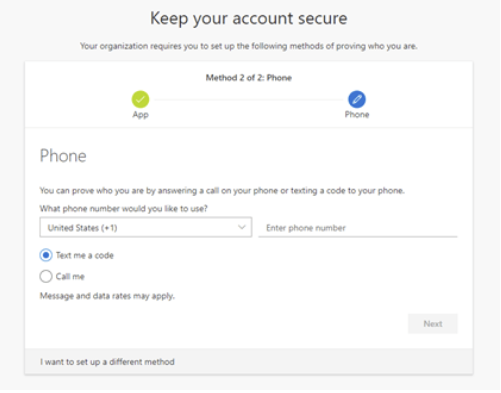
5. It will send you a code to confirm that method is set.
6. Now when you sign in to your email on a device for the first time it will verify that be sending you a code to enter.
Was this article helpful?
That’s Great!
Thank you for your feedback
Sorry! We couldn't be helpful
Thank you for your feedback
Feedback sent
We appreciate your effort and will try to fix the article